
Open Journal Systems (OJS) is the software that quietly runs a huge share of the world’s academic journals. PKP, the non-profit behind it, counts more than 58,000 journals that published at least five items with OJS in 2025 (PKP usage data). From June 2024 to July 2026 I administered and upgraded the OJS installation for Sukkur IBA University’s Department of Electrical Engineering as a Software Development Intern, alongside the department’s website.
It’s not glamorous work. But it taught me more about running production software for real users than any greenfield project has. These are the lessons I’d pass on to anyone taking over a journal system, whether at a university or for a single independent journal.
Upgrades are the scary part, not new features
Building a new feature is fun, because if it breaks it simply doesn’t ship. Upgrading a system that editors, reviewers and authors already depend on is a different kind of pressure. A botched upgrade doesn’t fail quietly: it breaks an active submission cycle for academics with real deadlines.
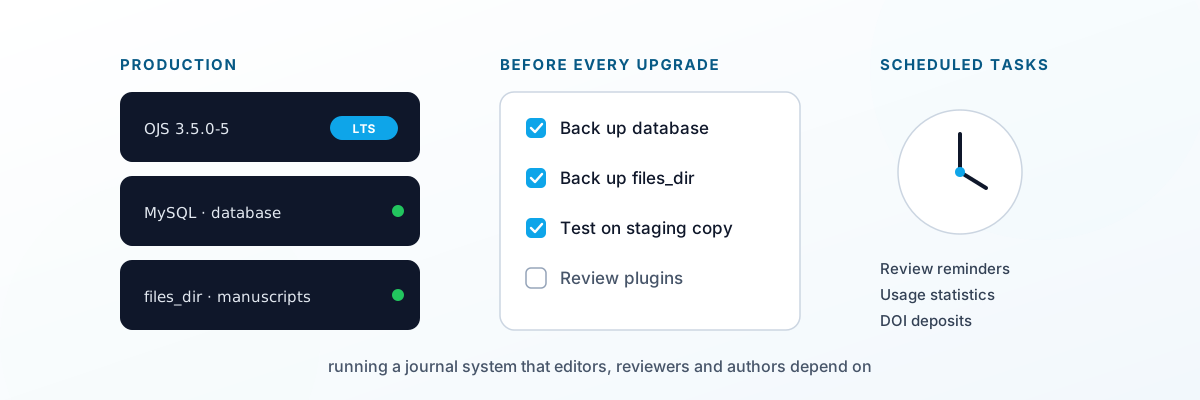
Most of the skill in this role was in staging upgrades carefully. In practice that means a routine you follow every time, even for a “small” bug-fix release:
- Back up three things, not one. The database, the OJS application folder, and the
files_dirwhere submissions actually live. A database backup alone restores the records but not the manuscripts. - Rehearse on a copy. Run the upgrade on a staging clone first, with a copy of real data, and click through the workflows editors use.
- Check plugins and themes before, not after. Plugin compatibility is the most common surprise. During the 3.5 series, PKP itself had to review its released 3.5 plugins after a change to how publication metadata is stored, and several themes needed fixes.
- Keep a rollback plan you expect never to need. Know exactly how you’d restore the previous version, and how long it would take.
I wrote the full routine up as a step-by-step guide to upgrading OJS 3.5.0-4 to 3.5.0-5. PKP’s own upgrade guide is the reference to check it against.
The other half of upgrade discipline is choosing which version to run. PKP marks certain releases as Long-Term Support, with bug fixes and security patches for an extended period (PKP). For a department journal without a full-time developer, sitting on an LTS release and taking its maintenance updates is far safer than chasing every new version.
The users are editors, not “users”
A journal system has an unusual audience. Its most active users aren’t anonymous visitors. They’re a small number of editors and section editors who use it daily, a larger group of reviewers who log in a few times a year, and authors who mostly want to know where their paper is.
That shapes what “working” means. A feature can be technically fine and still fail if a reviewer can’t find the review form, or an editor can’t tell which submissions are waiting on them. The work is as much about clear roles, sensible defaults and short how-to notes as about code.
It also means much of OJS runs in the background, where nobody sees it until it stops. Scheduled tasks send reviewer reminders, process usage statistics, and pass metadata to DOI and indexing services. They run either from a server cron job or through the Acron plugin (PKP forum). If they quietly stop, reviewers stop getting reminders and statistics stop updating, and nobody files a bug about something that simply didn’t happen. Checking them belongs on every post-upgrade list.
Office automation is undervalued
A meaningful chunk of my time went into automating recurring office workflows that had nothing to do with OJS directly. This is the unglamorous documentation and process work that eats a department’s time in small, repeated cuts.
Take a document that a department produces many times a term, such as a standard form, report or outline, where every copy follows the same structure and only the details change. Written by hand in a word processor, each copy drifts a little in format and wording. Generated from structured data with a short script, every copy comes out consistent, and a change to the layout becomes one edit to the template rather than dozens of documents to reformat.
None of this is resume-flashy, but it compounds. An hour saved on a recurring task once is fine. Saved every week for two years, it’s a real chunk of someone’s working life back.
Owning the whole website, not just a feature
Being responsible for the department’s entire website administration, not just “the frontend” or “the CMS”, meant owning uptime, content updates and whatever broke on a given day, whether or not it was originally “my” code. That end-to-end ownership is a different muscle from shipping a scoped feature in a sprint.
It changes how you build things. When you’re the one who gets the message on a Monday morning, you start writing things down: where the backups are, which plugins are installed and why, which settings were changed from the defaults. Documentation stops being a chore and becomes the thing that lets you, or whoever comes after you, fix a problem quickly.
What I’d tell a department taking this on
If you’re about to inherit an OJS installation, these habits matter more than any single technical skill:
- Run an LTS release and apply its maintenance updates rather than skipping several versions at once.
- Keep a plugin inventory: what’s installed, why, and whether it’s maintained for your version.
- Test every upgrade on a staging copy first. No exceptions for “small” releases.
- Back up the database and
files_dir, and test a restore at least once. - Check scheduled tasks after every change, so reminders and statistics keep running.
- Write down every non-default setting and how the server is set up.
- Think about records that need to outlast the system. Submission dates matter in disputes, and there are ways to make them independently checkable, as I explain in manuscript timestamping for journals.
Running OJS well is mostly about care and routine rather than clever code. If your journal needs help with an upgrade, a migration or day-to-day administration, that’s what my OJS support service covers, and there’s more on the OJS hub.